
Publish an accessibility statement and badge
Create a public statement page and add the badge to your footer.
An accessibility statement is a public page that tells visitors how accessible your site is, what the known limitations are and how to reach you. We host the page for you and give you a badge to link to it from your footer. Statements are included on the Monitor and Pro plans.
Before you start
- Confirm you own the site.
- Have a finished scan that did not hit your plan's page limit. A statement is a snapshot of your latest scan, and a scan that stopped at the limit does not cover the whole site. If your site is large and its pages share the same layouts, a template scan works too, and the statement then says that a sample of each template was tested.
Open the site, choose Settings and scroll to "Accessibility statement".
Fill in and publish
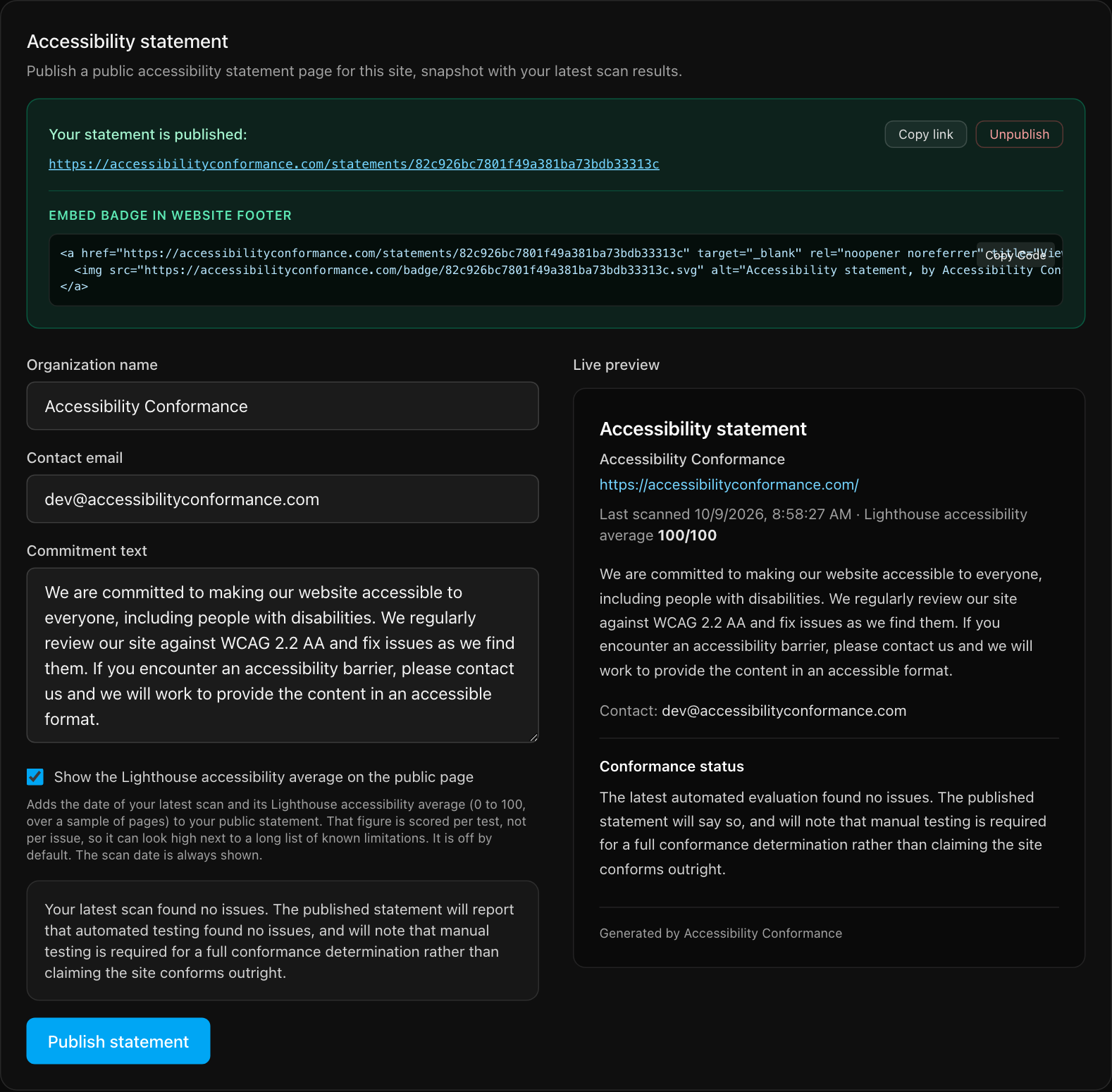
- Organization name. Who the statement is from.
- Contact email. Where visitors can report a barrier. Use an address someone actually reads.
- Commitment text. A short statement of your intent in your own words.
- Optional: tick Show the Lighthouse accessibility average. It adds a 0 to 100 figure from a sample of pages. That figure is scored per test, not per issue, so it can look high next to a long list of known limitations. It is off by default. The scan date is always shown.
- Check the live preview, then select Publish statement.
How the conformance wording is written
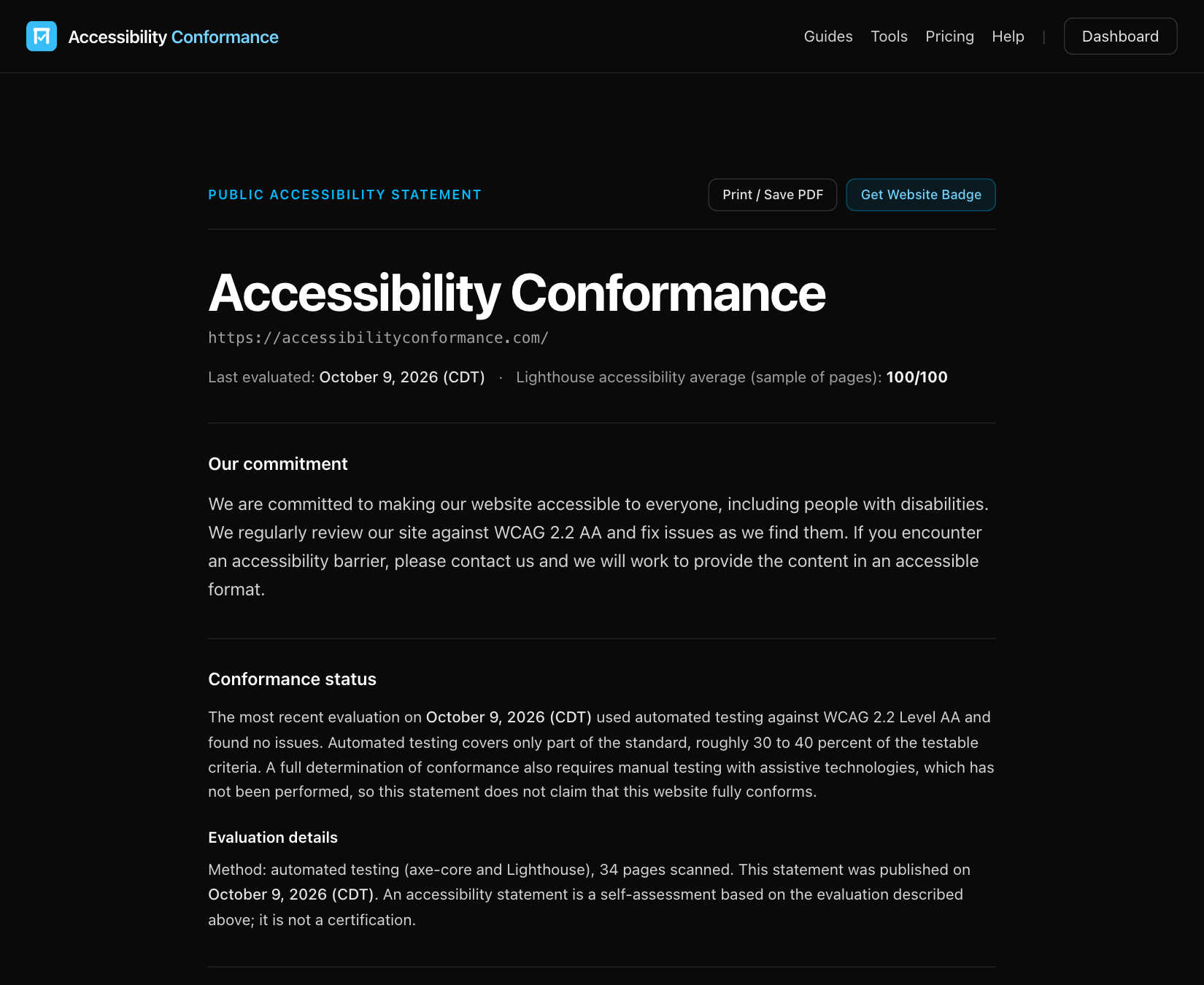
You do not write the conformance status. We generate it from your scan when you publish, and it cannot be edited, so it always matches the evidence.
- Issues found: the page says the site is "partially conformant" with WCAG 2.2 Level AA and lists the main known limitations from your scan, grouped by rule. It says how many issues were found (distinct kinds of problem) and how many findings they are spread across, the same two numbers described in issues and findings.
- No issues found: the page says only that automated testing found no issues. It keeps a note that automated testing covers roughly 30 to 40 percent of testable criteria and that full conformance needs manual testing.
Open issues do not stop you from publishing. They become the "known limitations" visitors can read. Being open about them is better practice than hiding them. The page never claims your site fully conforms.
Add the badge to your site
Once published, the panel shows a link to your statement and an embed snippet. Select Copy Code and paste it into your site's footer. The badge image is hosted by us, so the snippet is all you add. Your statement link is unguessable and needs no sign-in to view.
Update or take down
- Update. After a new scan, publish again to refresh the statement with the latest results. Until you do, the page keeps the results from when you last published.
- Unpublish. Select Unpublish to take the page offline. The old link stops working.
Still stuck? Contact us with your site address and what you expected to happen.